Creating a New ComfileTech.WinForms Project
To create a new CFHEADER .NET project in Visual Studio, simply follow these steps:
- Open Visual Studio and select “Create a new project”.
 <html><p> </p></html>
 - Select the ComfileTech.WinForms project template.
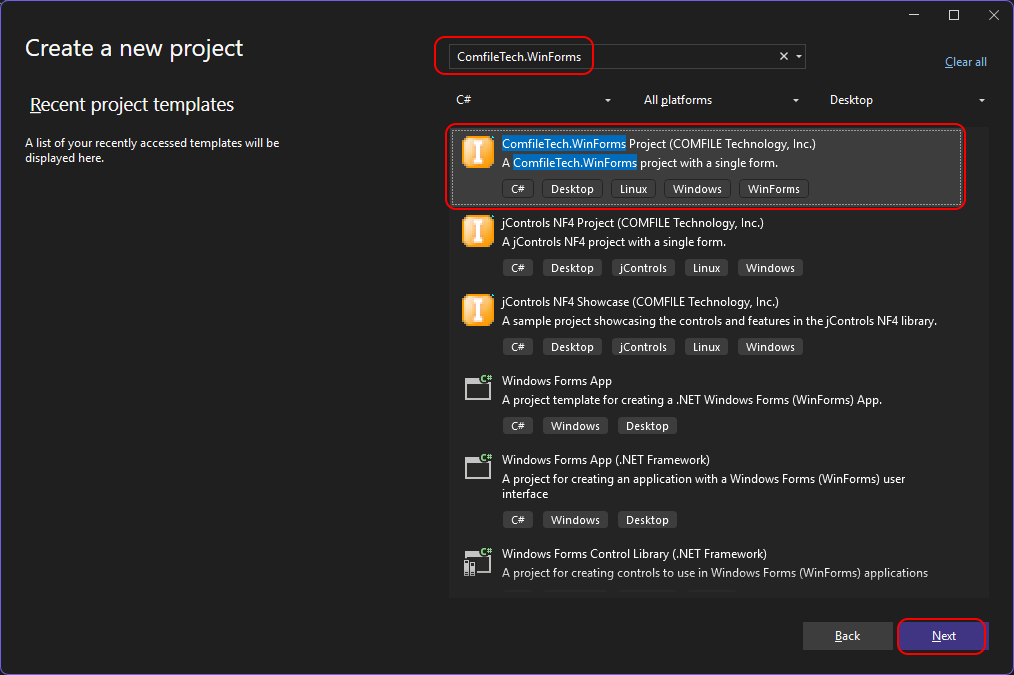 <html><p> </p></html>
 - Give the project a name and press Create.
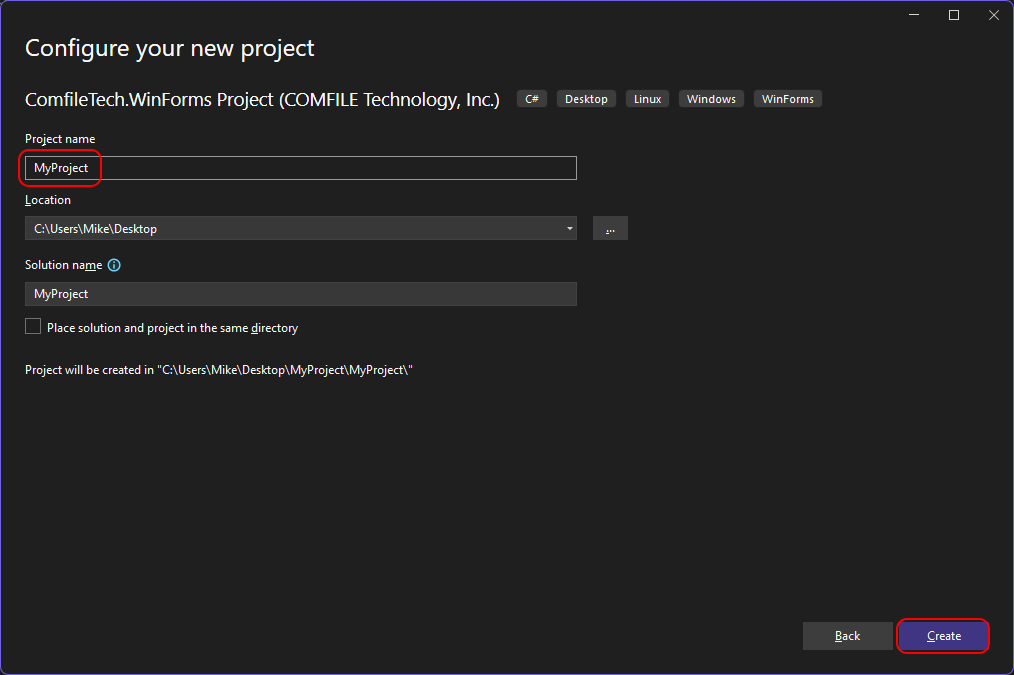 <html><p> </p></html>
 - When the project opens, build it, and then select the main form..
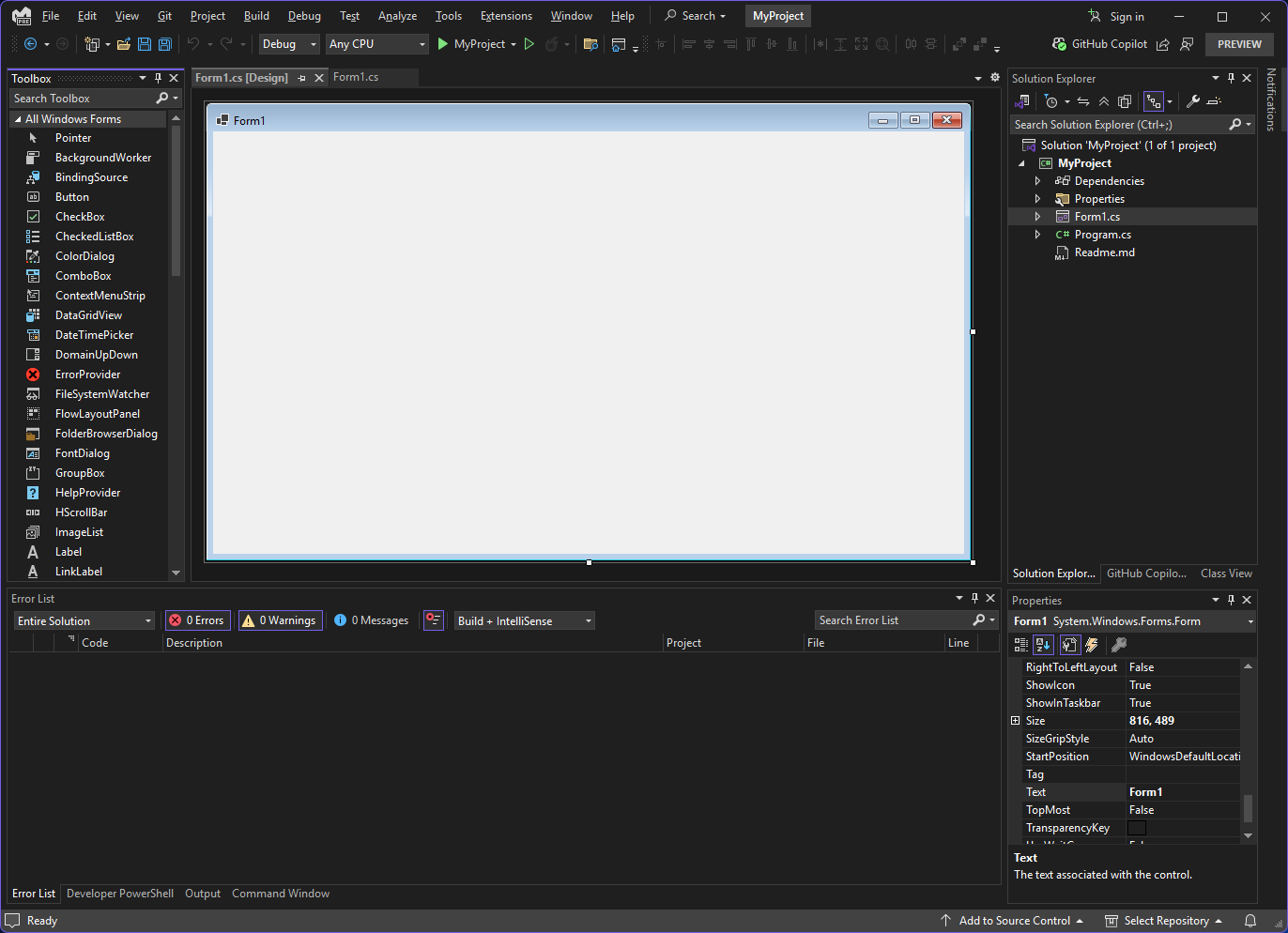 <html><p> </p></html>


From that point on, you create your application just as you would for any other WinForms application.
If you receive an error about not being able to find “MonoPosixHelper”, add the Nuget package Mono.Posix.NETStandard to your project.
Debugging
If you need to debug your application on a Linux device from within Visual Studio, use our Remote .NET Debugger Visual Studio Extension