
Table of Contents
Installing the ComfilePi SDK
After installing Qt Creator, the ComfilePi SDK can be installed.
Download the ComfilePI SDK
Download the ComfilePi SDK from the link below:
<html> <!–
| ComfilePi Qt 5.8 SDK v1.3 | May 25, 2017 | Release Notes |
–> </html>
| ComfilePi Qt 5.8 SDK v1.4 | March 31, 2017 | Release Notes |
Install the ComfilePi SDK

The installation directory's path should not contain any spaces.
 |  |


A couple of console windows will appear in order to extract files from the compressed archives. They will take a few minutes to complete.
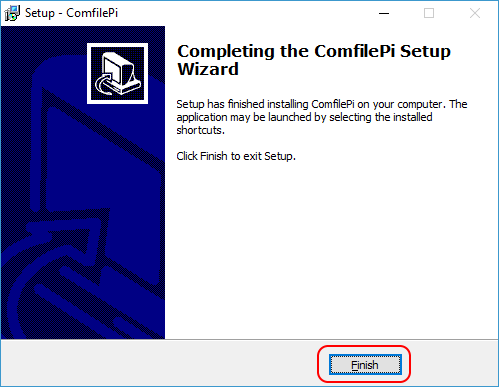
Finally, press the Finish button to finish the installation.
Verify the Installation
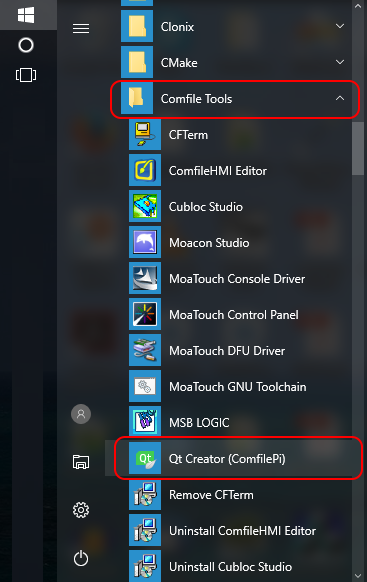
From the Windows Start Menu, browse to the Comfile Tools folder and select the Qt Creator (ComfilePi) item. This shortcut points Qt Creator to a settings folder containing a Qt Kit already prepared by COMFILE Technology for the ComfilePi.
If the Shortcut Doesn't Work
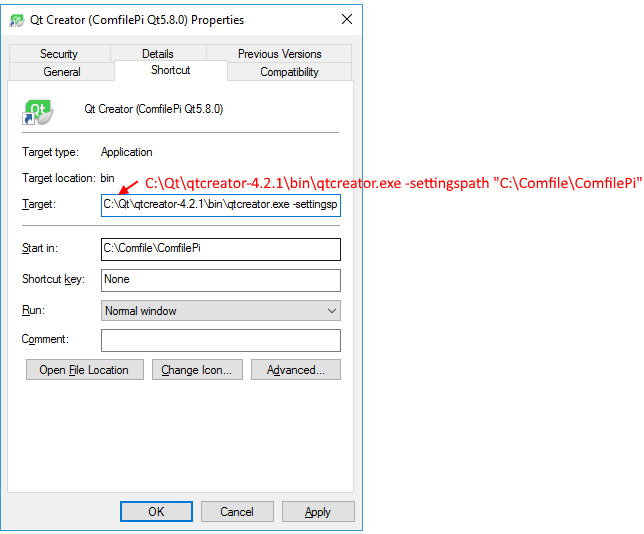
If Qt Creator is not installed in the expected location, the Qt Creator (ComfilePi) shortcut may not work, or may not exist. To remedy this, simply modify the shortcut, or create a new shortcut to…
Target: <html>
{Qt Creator Installation Path}\bin\qtcreator.exe -settingspath {ComfilePi SDK Installation Path}
</html>
Start In: {ComfilePi SDK Installation Path}.
Example
Target: <html>
C:\Qt\qtcreator-4.2.1\bin\qtcreator.exe -settingspath C:\Comfile\ComfilePi\
</html>
Start In: C:\Comfile\ComfilePi
Running Qt Creator
If all is well, Qt Creator will run and the following window will appear.
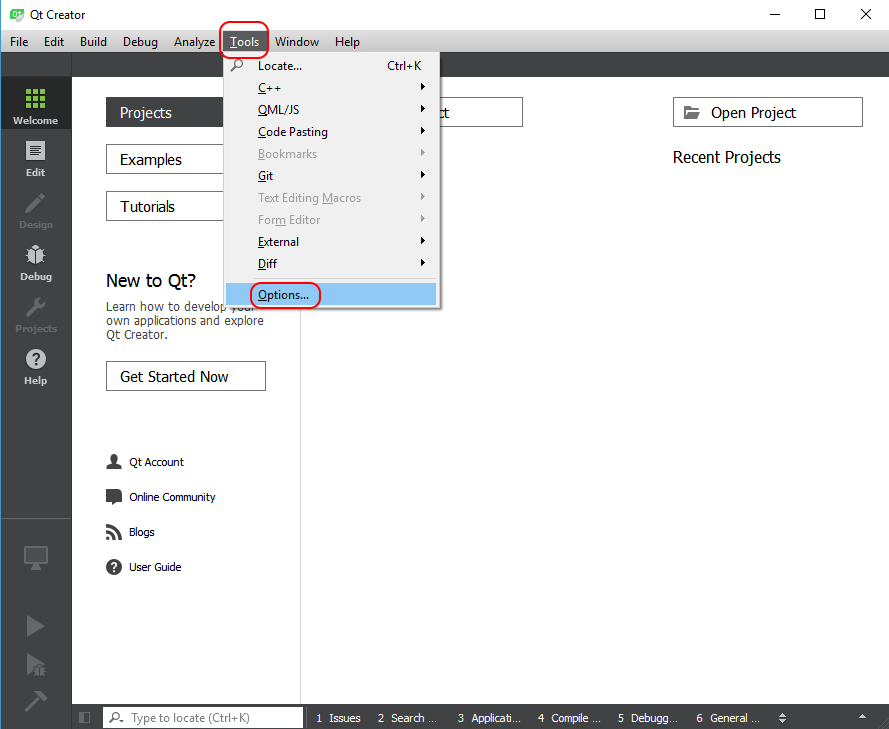
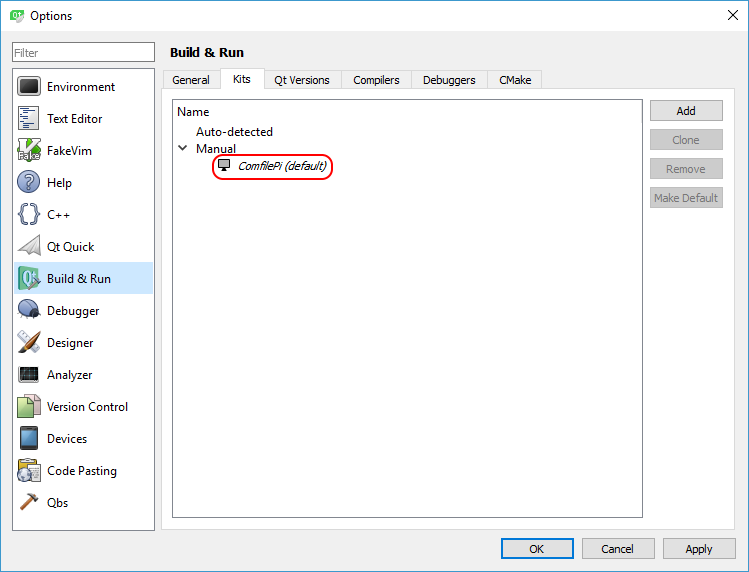
Go to Tools–>Options, and in the Options window that appears, go to Build & Run–>Kits. There the ComfilePi kit should appear as shown below:
Configuring the Device Properties
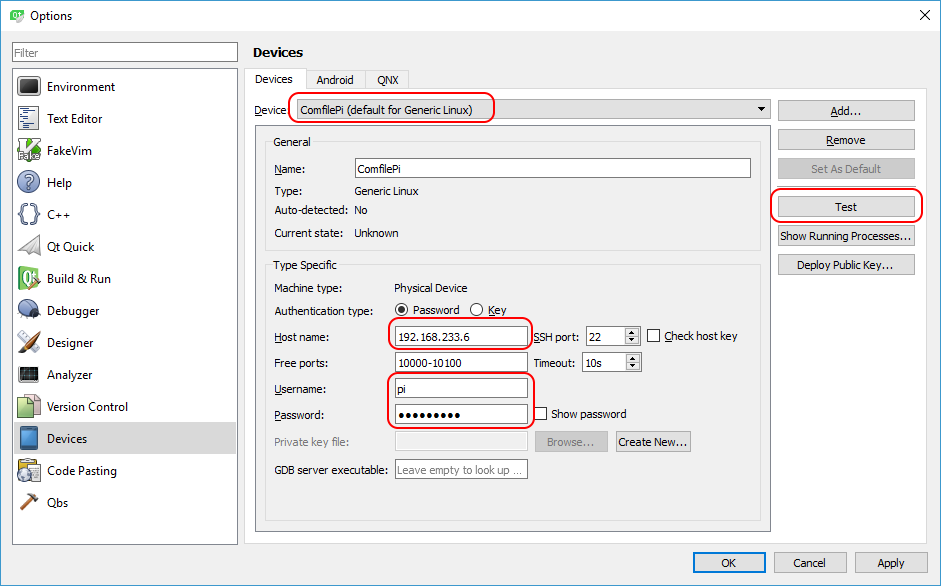
In the Options window, go to the Devices and update the Host name, Username, and Password as necessary for the specific ComfilePi device to develop and debug for.
Press the Test button to test your settings.
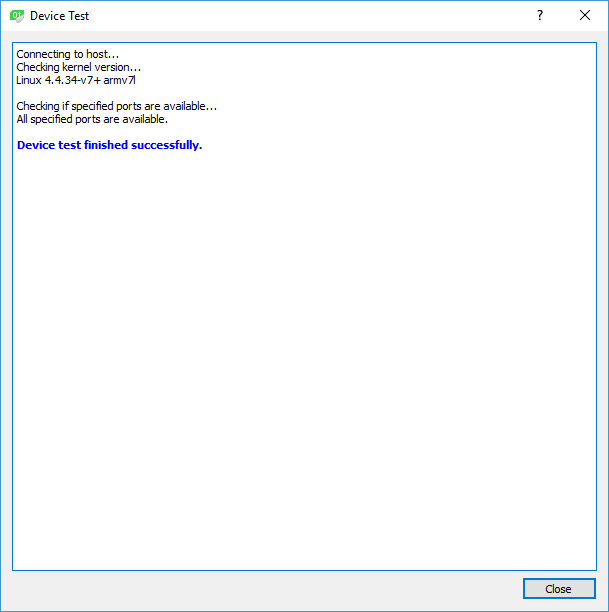
Qt Creator is now configured and ready for developing, deploying, and debugging software for the ComfilePi.
<html><!–
New Method
Create a Samba Share for Header Files
To allow Qt Creator access to the ComfilePi's libraries and include files (a.k.a sysroot) we can expose the ComfilePi's root file system as samba share.
- Be sure Samba is installed by running
sudo apt-get install sambaon the ComfilePi. - Create a share for
/usr, providing read-only access to/usr/includeand/usr/lib, by editing the/etc/samba/smb.conffile as shown below
[root]
   path=/
   browseable=yes
   read only=yes
   valid usr=pi
   public=yes
   hide dot files=yes
   follow symlinks=yes
   wide links=yes
   unix extensions=no
See the smb.conf reference for more information.
- Restart the Samba server with
sudo /etc/init.d/smbd restart - Test access to the share on the Windows computer by opening
\\{ComfilePI_IP_Address}\usrin Windows explorer.


–></html>