
Easy Debugging
In Arduino, you need to use Serial Monitor to see the value of a desired variable. Usually, to see a variable and its value, you need to write two lines like this.
int value = 10;
Serial.print("Value is ");
Serial.println(value);
This is a source code that allows you to easily see the name and content of a variable using the debug command.
#define debug(str,x) Serial.print(str); Serial.print(":"); Serial.println(x)

// Usage

debug("tempi",tempi);
Here is an example.
#include "cfManagedBase.h"

#define debug(str,x) Serial.print(str); Serial.print(":"); Serial.println(x)

uint16_t tempi;

void user_setup()
{
Serial.begin(115200);
}

void loop() {
debug("tempi",tempi);
delay(500);
}

void logic_proc()
{
if (rTrig(X00,0)) tempi++; // Perform tempi++ (increment) only once when X[0] changes from 0 to 1.
Y00 = X00;
}
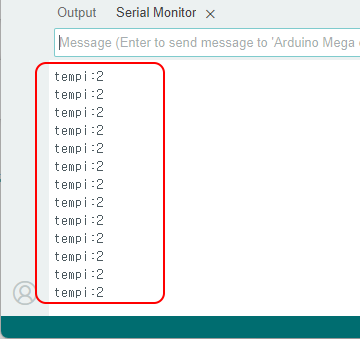
When development is complete and the product is released, there are situations where you need to delete all debug statements. In that case, simply change the #define statement to this.
#define debug(str,x)
That is, ignore the debug command and compile.
DEBUG On & Off
If you need to turn debug on/off frequently, code like this. The debug command is also divided into two.
- debug: A debug command without a line break. You can list values sideways.
- debugln: A debug command with a line break.
#define DEBUG 1

#if DEBUG == 1
#define debug(str,x) Serial.print(str); Serial.print(":"); Serial.print(x); Serial.print("   ")
#define debugln(str,x) Serial.print(str); Serial.print(":"); Serial.println(x)
#else
#define debug(str,x)
#define debugln(str,x)
#endif
If you define DEBUG at the top as 0, all debug commands will not be translated and will not be displayed on the serial monitor. If you define DEBUG as 1, you can see them again.
As an aside, Arduino does not have a function to view variable status in real time like PLC's ladder monitoring. You need to work hard to display the values you want to see directly on the serial monitor. The debug command must be written inside loop().