
modularfaduino:io_modules:index
Table of Contents
Connecting IO Modules
The CPU module is positioned on the left, and the system can be configured by combining the required modules on the right.
- Up to 16 modules can be added to the system.
- This limit is based on the current capacity that the CPU module can support.
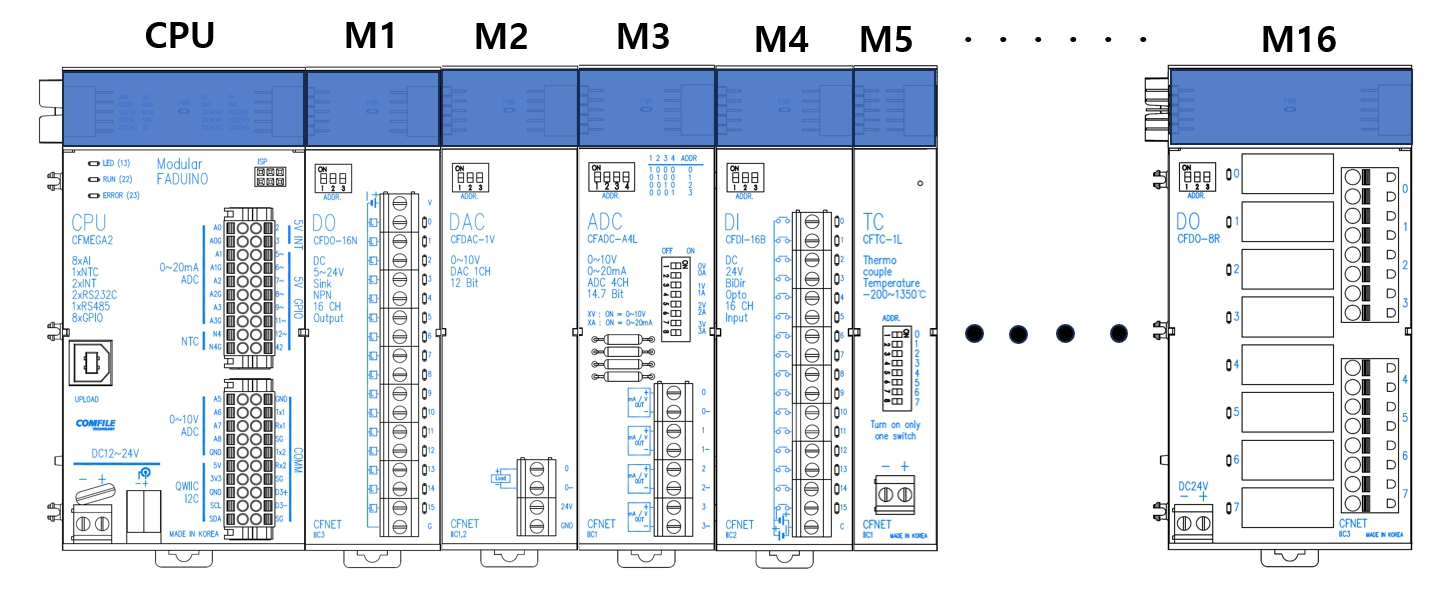
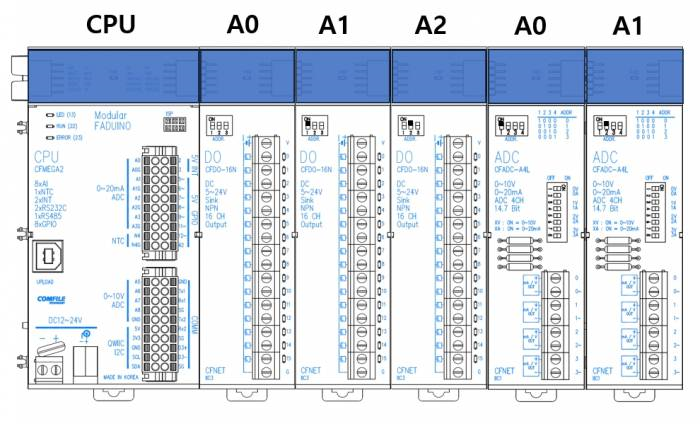
- When using multiple modules of the same type, each module must be assigned a different address.
Shared Addresses
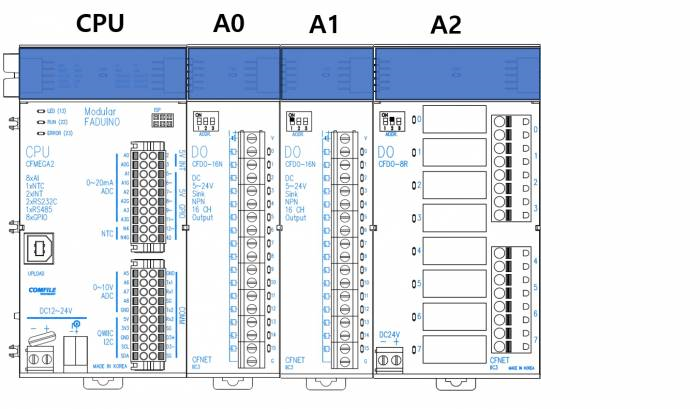
The digital output module group (DO modules) shares the same address range. Therefore, make sure that their addresses do not overlap.
- DO: CFDO-16N, CFDO-8R
Precautions
- Use a 24 VDC power supply.
- Select the capacity of the power supply according to the system configuration. A higher-capacity power supply is required when using more I/O modules.
- A 24 VDC, 1 A power supply is suitable when using fewer than five modules. A 24 VDC, 3 A power supply is suitable when using all 16 modules.
- The I/O power supply must be separate from the power supply used for the CPU module.
- When installing the system, provide sufficient separation and shielding from equipment or facilities that may generate radiated noise, such as inverters, AC motors, cranes, and welding equipment.
modularfaduino/io_modules/index.txt · Last modified: by mfranklin