Table of Contents
Config.txt Configuration
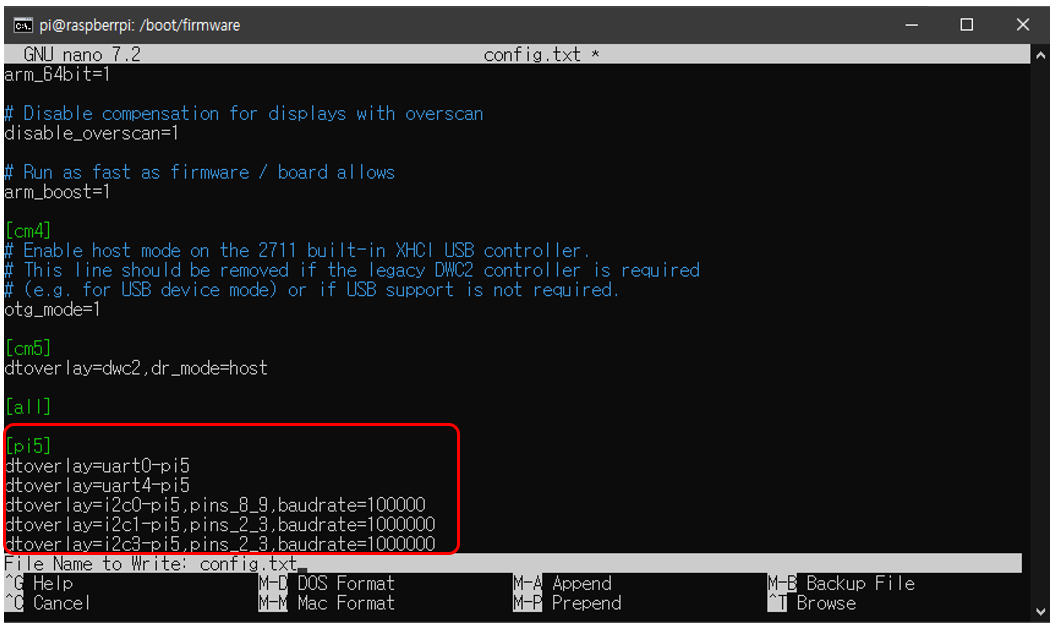
To use UART, CFNET, and PCIe SSD functions on the Modular Pi, you must add the following content to the config.txt configuration file.
※ This is a mandatory requirement for using expansion modules (CFNET I/O).
- To edit config.txt:
sudo nano config.txt - Bookworm OS: /boot/firmware/config.txt
- Bullseye & Buster OS: /boot/config.txt
[pi5]
pciex1=on
dtoverlay=uart0-pi5
dtoverlay=uart4-pi5
dtoverlay=i2c0-pi5,pins_8_9,baudrate=100000
dtoverlay=i2c1-pi5,pins_2_3,baudrate=1000000
dtoverlay=i2c3-pi5,pins_22_23,baudrate=1000000
Installing Python I2C Library (smbus2)
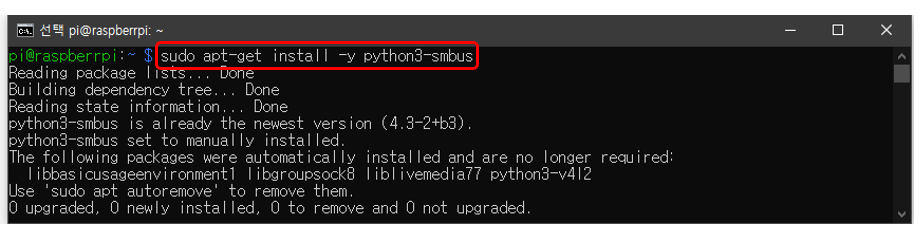
CFNET I/O expansion modules are designed to be controlled via I²C (CFNET) communication. Therefore, to use I²C communication in Python, you must install the smbus2 library as shown below.
- Install smbus2 library:
sudo apt-get install -y python3-smbus - Verify installation:
dpkg -l | grep python3-smbus
Verifying Connected CFNET I/O Modules
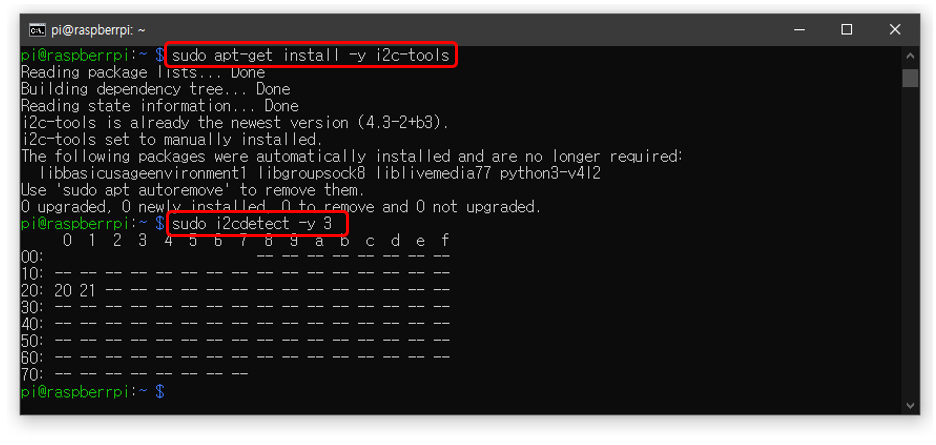
After completing the settings above, you can verify the expansion modules (CFNET) connected to the Modular Pi using a simple command.
- Install I²C device scan and control utilities:
sudo apt-get install -y i2c-tools - Check connected devices:
sudo i2cdetect -y 3
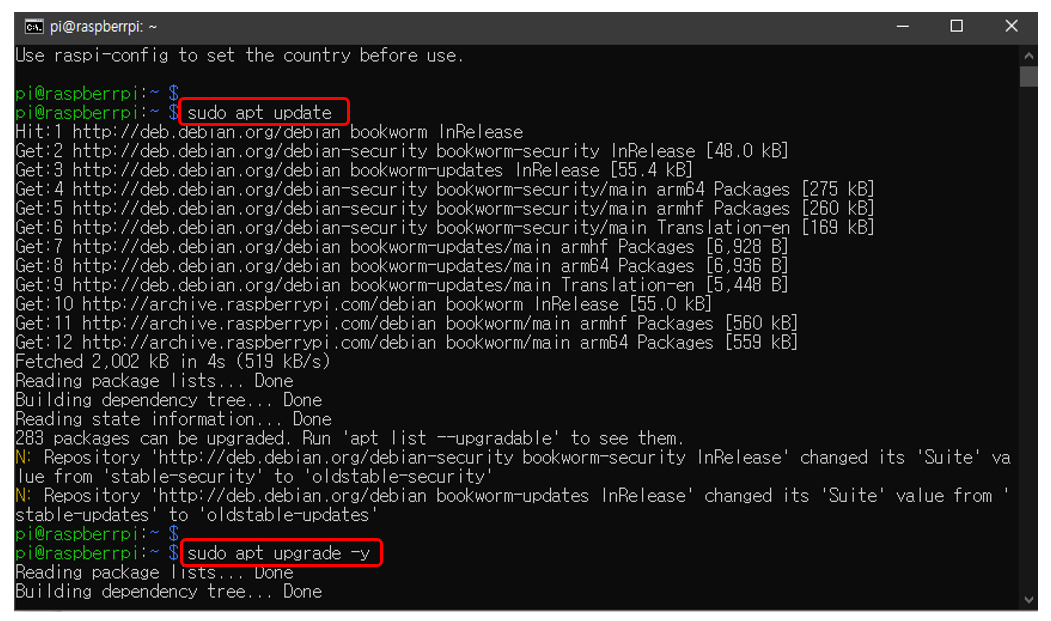
Update / Upgrade
The Operating System (OS) should be kept up to date through update and upgrade commands. Using older versions may cause compatibility issues; maintaining the latest version ensures the system operates more stably. Additionally, development tools such as Python, Node.js, and GCC should be kept at their latest versions to guarantee compatibility with modern libraries.
- Upgrade:
sudo apt-get upgrade -y