
This is an old revision of the document!
Table of Contents
CUWIN - Windows CE & Windows Embedded Compact Industrial Touchscreen Panel PC
Overview
Windows CE panel PCs (also known as the CUWIN series) provide a more affordable alternative to Windows-based desktop panel PCs, while still offering sufficient performance and functionality to build professional user interfaces in a compact form factor.
Software for the CUWIN series can be developed using Microsoft Visual Studio 2008 Professional in C++ or C#/VB.NET with the .NET Compact Framework.
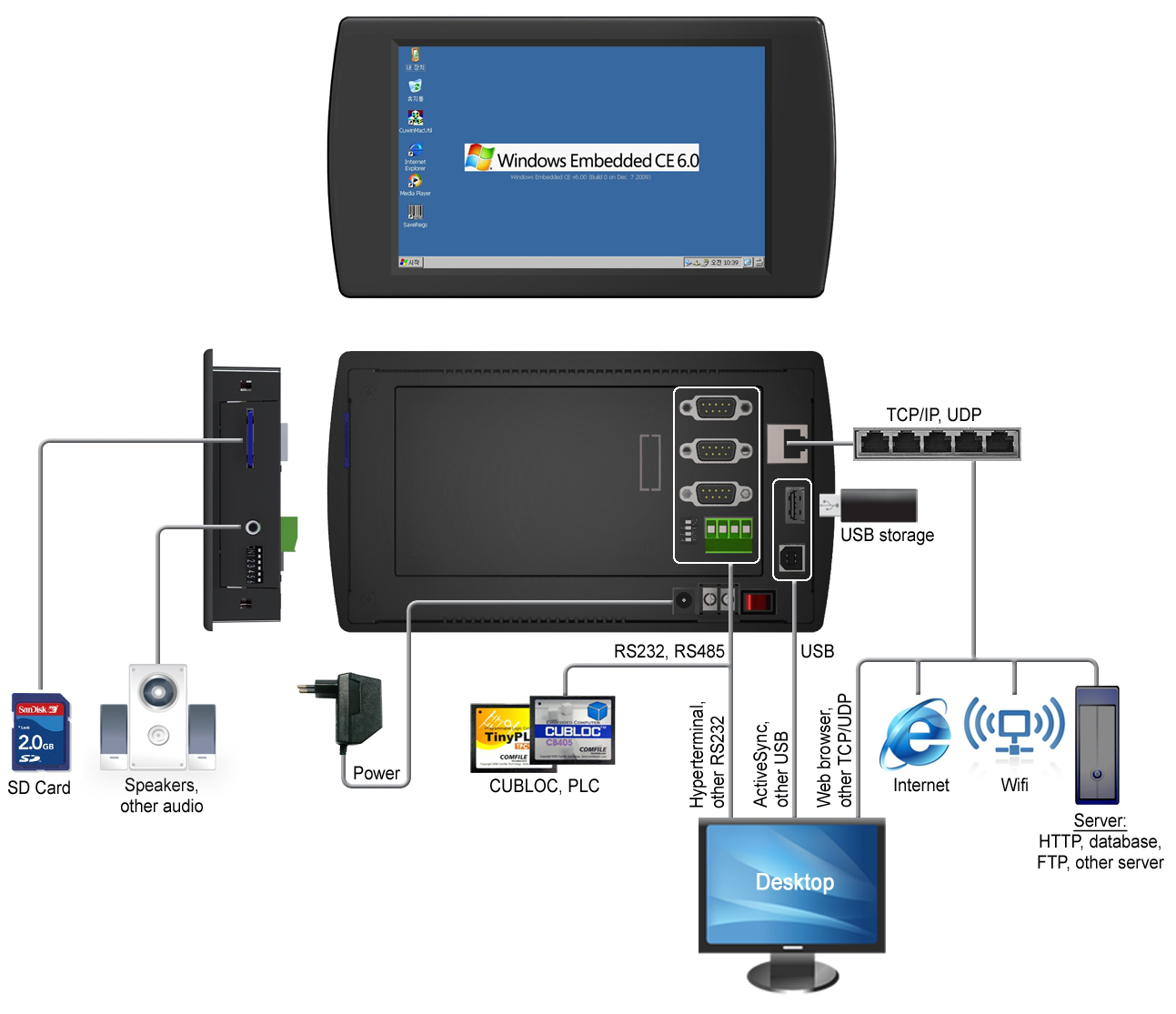
The CUWIN series offers several advantages over standard Windows 10/11 systems for industrial applications, including a more cost-effective platform, faster boot times, and a lightweight operating system optimized for stable and reliable operation.
Unlike conventional PC-based systems, CUWIN is designed to withstand unexpected power interruptions without system crashes and maintains dependable performance even in harsh industrial environments.
The CUWIN series has been widely adopted in medical devices, cosmetic equipment, and temperature and humidity control systems, and its reliability has been proven through extensive mass production and long-term field deployment.
Hardware Specifications
| CWA Series | 5K/6K Series (Discontinued) | CWV2 Series (Discontinued) | CWR Series | |||||||
|---|---|---|---|---|---|---|---|---|---|---|
| 070BR | 070WR | 102BR | 5200 | 5500 | 6300 | 070BR | 070WR | 102BR | 070WR | |
| LCD | 7“ | 7” | 10.2“ | 7” | 7“ | 10.2” | 7“ | 7” | 10.2“ | 7” |
| Enclosure | Bezel | IP65 | Bezel | Bezel | IP65 | Bezel | Bezel | IP65 | Bezel | IP65 |
| MPU | ARM926EJ 400MHz | ARM926EJ 533MHz | Cortex-A8 1GHz | Cortex-A9 1GHz Dual | ||||||
| RAM | 128MB SDRAM | 128MB SDRAM | 512MB SDRAM | 1024MB SDRAM | ||||||
| Flash Memory | 256MB NAND Flash | 128MB NAND Flash | 4GB eMMC | 4GB eMMC | ||||||
| Operating System | Windows CE 6 Core | Windows Embedded Compact 7 Pro | ||||||||
| Operating temperature | 0°C ~ 70°C | |||||||||
| Hardware Spec. | Details | Details | Details | Details | ||||||
| Dimensions | View | View | View | View | View | View | View | View | View | View |
| SDK | Download SDK | Download SDK | Download SDK | Download SDK | ||||||
| Buy | Buy | Buy | Buy | Buy | ||||||
Important: To install the SDK, please install Visual Studio 2008 first. When installing the SDK choose Custom and remove the Documentation feature, or the SDK may not install correctly.
Getting Started
Connecting the CUWIN to a Host PC
OS Images, Flashing Utility, and Instructions
Developing Software for the CUWIN
Setting up a Development Environment
Microsoft did not release the Smart Device Programmability tools for any Visual Studio release beyond Visual Studio 2008, so Visual Studio 2008 is the latest version of Visual Studio that can be used to program Windows CE 6.0 devices like the CUWIN.
For Windows CE 5, 6, and Windows Embedded Compact 7 API documentation, please see the Windows Embedded documentation at MSDN.
Interfacing the CUWIN to Other Devices
Miscellaneous
Additional Libraries
- jControls CF35 - A free UI control library that overcomes many limitations of Windows CE and the .Net Compact Framework providing anti-aliasing, alpha blending, gradient fills, and more.
- BeeMobile iPack - A commercial .Net Compact Framework UI control library.